
21 app templates: what ships in each, free and Pro
Every Styloviz app template with a screenshot: what it does, whether it is free or Pro, and a link to the live demo — 3 free under MIT and 18 with a Pro licence.
- Templates
- Product
A component library tells you what the pieces are. A template tells you what they add up to. Styloviz ships 21 app templates: 3 free under MIT and 18 with a Pro licence. Each is a complete Angular application built only from Styloviz components, runs as a live demo on the site, and downloads as a project that installs, builds and renders on its own.
Three things are true of all of them:
- They are working apps, not screenshots. The mailbox files mail, the till adds up, the calendar refuses a clash before you save. The demos run on mock data, and many have a switch that points them at a real API through the same typed data layer the components use.
- They are checked before every release. All 21 are built as standalone projects and rendered, and a release does not ship if one fails.
- Rebranding is one file. Name, logo, colours and copy live in each template's config, so the result looks like your product, not like ours.
Below, every template with a screenshot, what it does, and a link to try it. Each Pro template also has a raw walkthrough video.
Free, under MIT
Auth
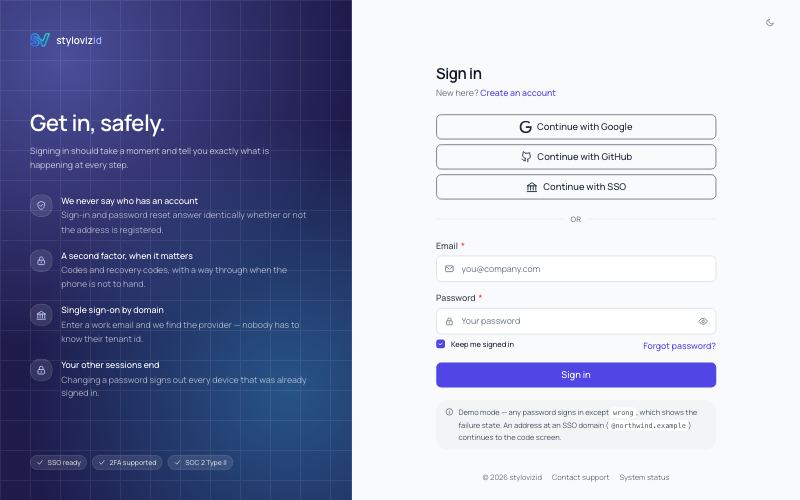
The complete set of pre-session screens — sign in with providers, register with a live policy checklist, two-step verification with recovery codes, single sign-on discovered from the email domain, a lock screen that knows who it locked, and the forgot / reset-password pair. Indigo/sky shell, mock-or-live data switch.
- Live demo Free, MIT
Errors
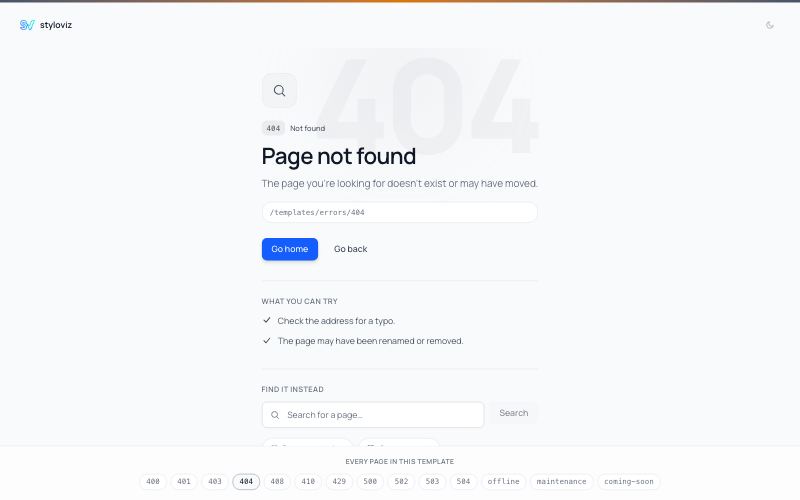
404, 500, 503, maintenance and coming-soon pages, composed from sv-empty-state and sv-result. Slate/amber shell.
- Live demo Free, MIT
Account
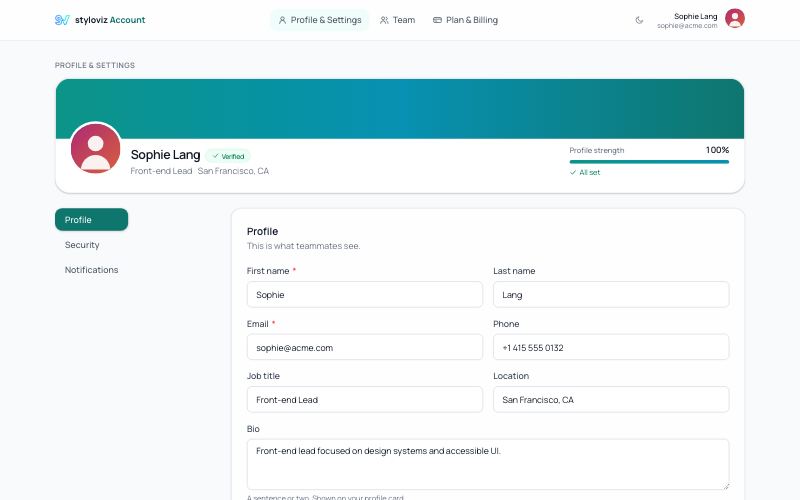
Profile, security, notifications and team — packaged as its own drop-in template instead of a fourth bespoke build. Teal/cyan shell.
- Live demo Free, MIT
Pro: admin and operations
Admin Panel
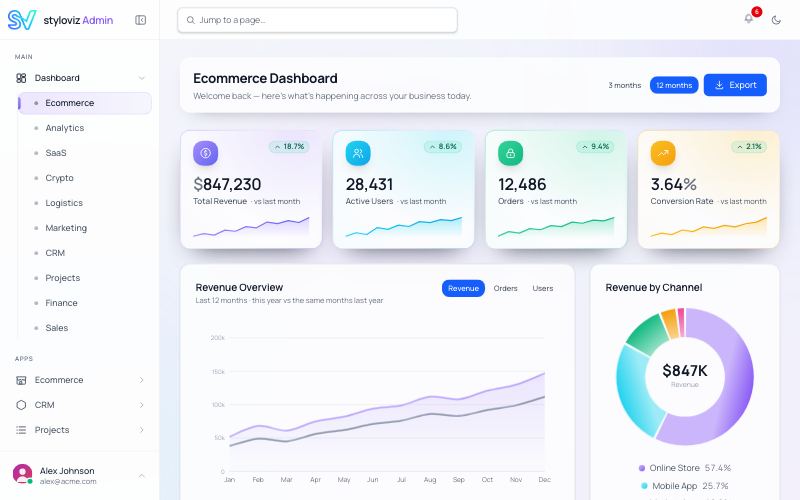
Ready-to-use SaaS admin panel — 49 pages across 10 dashboards and 8 app modules, with a self-contained Midnight Pro shell (sidebar, header, dark mode).
- Live demo Pro
- Walkthrough video (3:01) A raw recording of the live demo, no sound.
AI Ops Console
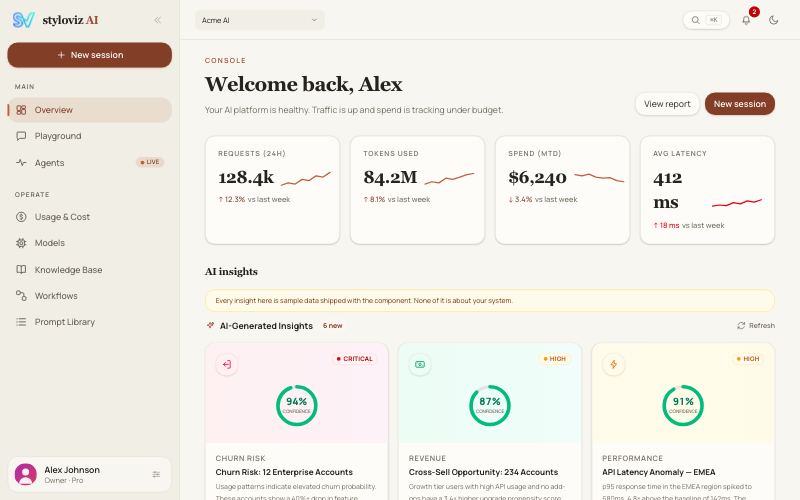
Dark-first admin for AI/LLM products — chat playground, agent run monitor, token spend analytics, model comparison, RAG knowledge base, workflow builder, and a prompt library.
- Live demo Pro
- Walkthrough video (3:01) A raw recording of the live demo, no sound.
CRUD Blocks
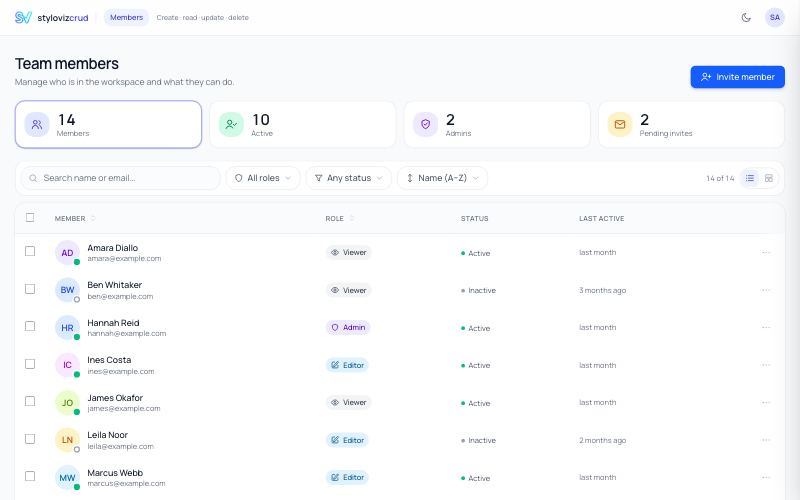
Create, read, update and delete for one resource, offered through the four surfaces a real app needs — a table, a create modal, an edit drawer and a naming confirm — all driven by ONE form component with one set of validation rules.
- Live demo Pro
- Walkthrough video (3:00) A raw recording of the live demo, no sound.
Help Desk
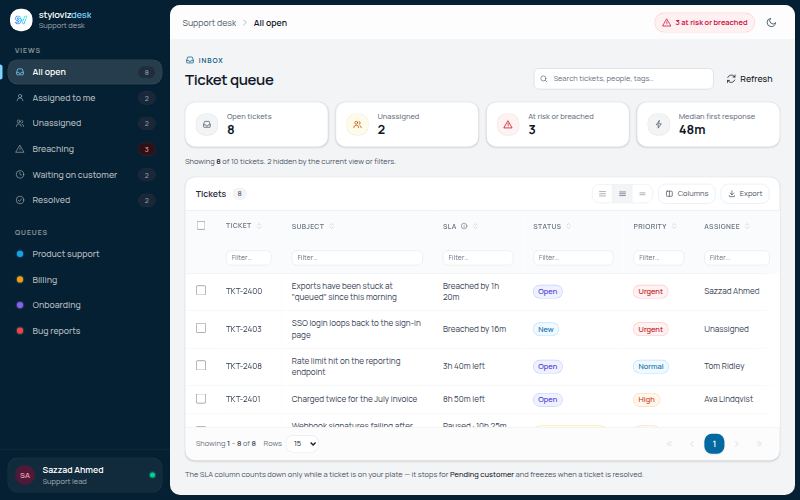
A working support desk — a ticket queue sorted by how little SLA is left rather than by arrival, first-response and resolution clocks that STOP while a ticket waits on the customer, agent assignment including a deliberate Unassigned, canned replies whose placeholders are filled from the ticket, and a threaded conversation where internal notes sit in time order but are unmistakable. Sky/amber shell.
- Live demo Pro
- Walkthrough video (3:00) A raw recording of the live demo, no sound.
Project Management
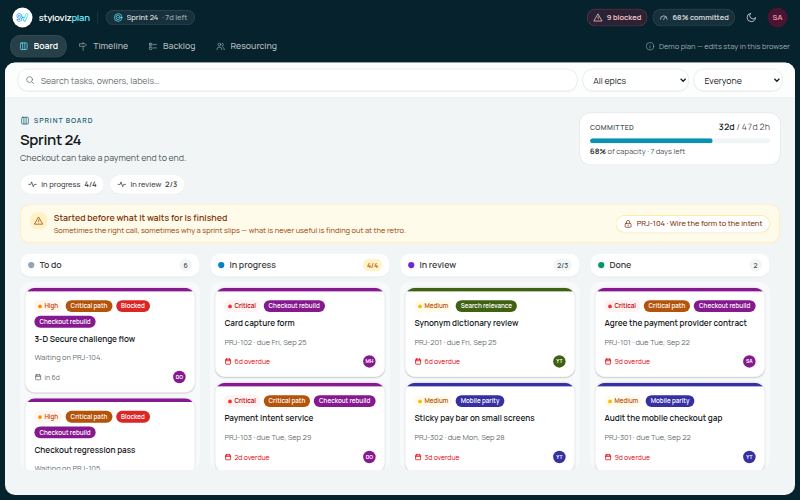
A working project workspace — a sprint board where the column IS the status, a gantt timeline that prices a dragged bar before it is saved (dependents cascade, the finish date moves, Apply or Undo), a ranked backlog with a cycle-refusing dependency editor, and per-person weekly load derived from estimates spread across their span. Critical path, float, blocked and over-allocation are all computed, never stored. Cyan/sky shell with an amber constraint accent, mock-or-live data switch.
- Live demo Pro
- Walkthrough video (3:09) A raw recording of the live demo, no sound.
HRMS / People
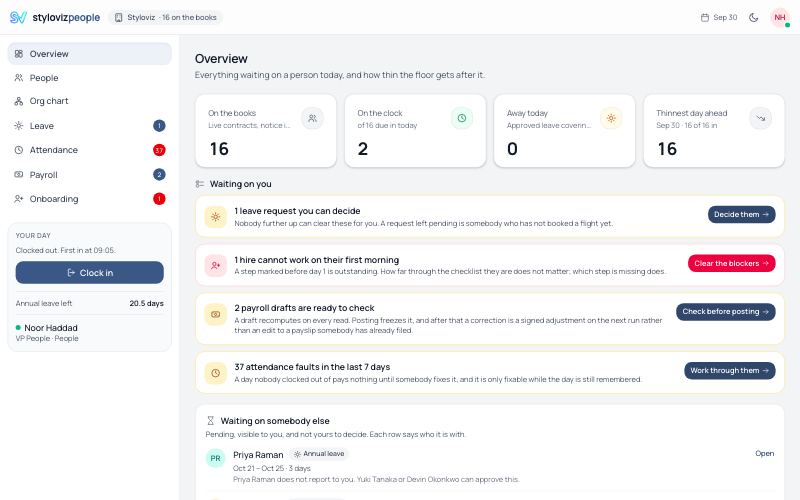
People operations where nothing is stored twice — a directory whose employment status is derived from hire and end dates, so somebody serving notice is neither in nor out but on notice; an org chart resolved from manager edges on every render, which is why it can tell you three people are missing instead of quietly dropping them. Leave is counted in integer half-days across working days only, balances are accrued rather than kept, and a pending request is shown but never deducted. Attendance pairs an append-only punch ledger, so a day nobody clocked out of counts nothing and says so rather than inventing an end time. Payroll drafts recompute and posted runs freeze, so a correction is a signed adjustment on the next run instead of an edit to a payslip somebody has already filed with their taxes. Ink-navy/emerald shell, mock-or-live data switch.
- Live demo Pro
- Walkthrough video (3:01) A raw recording of the live demo, no sound.
POS / Inventory
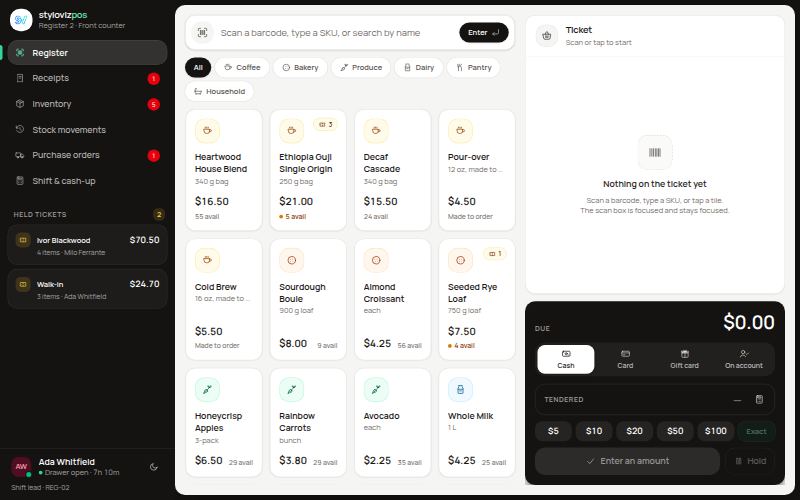
A till that actually adds up — barcode scanning into a live basket, four tenders with split payments and change, parked tickets that hold their stock, printable receipts with a real Code 128 barcode, refunds priced from the receipt rather than today's price list, and voids posted as reversals. Stock is never stored: on-hand is the signed sum of an append-only movement ledger, so purchase-order receipts, cycle counts and shrink all land in the same place. Purchase orders derive their status from that ledger, over-receipts need approval, and the drawer will not close on an unexplained variance. Warm graphite/emerald shell, mock-or-live data switch.
- Live demo Pro
- Walkthrough video (3:06) A raw recording of the live demo, no sound.
Pro: working apps
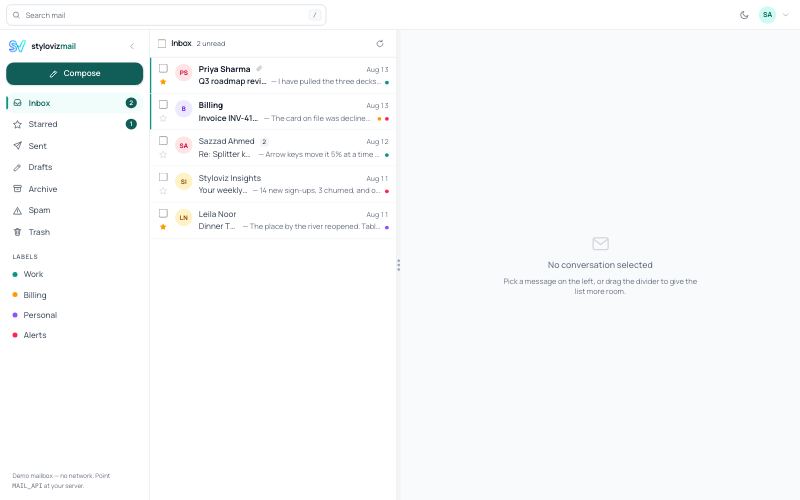
A working mailbox — folders with live unread counts, label filters, search, a resizable list/reading-pane split that remembers where you put it, bulk archive and mark-read, and a rich-text compose window that lands in Sent.
- Live demo Pro
- Walkthrough video (4:53) A raw recording of the live demo, no sound.
File Manager
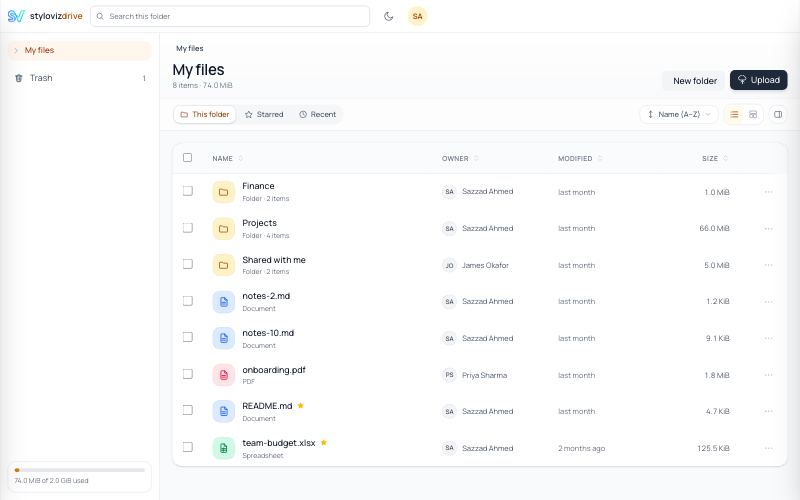
A working drive — folder tree, breadcrumb, list and grid views, sort with folders first and natural number order, multi-select with move/delete, a recoverable Trash, and a move that refuses to detach a folder into its own subtree.
- Live demo Pro
- Walkthrough video (3:00) A raw recording of the live demo, no sound.
Calendar
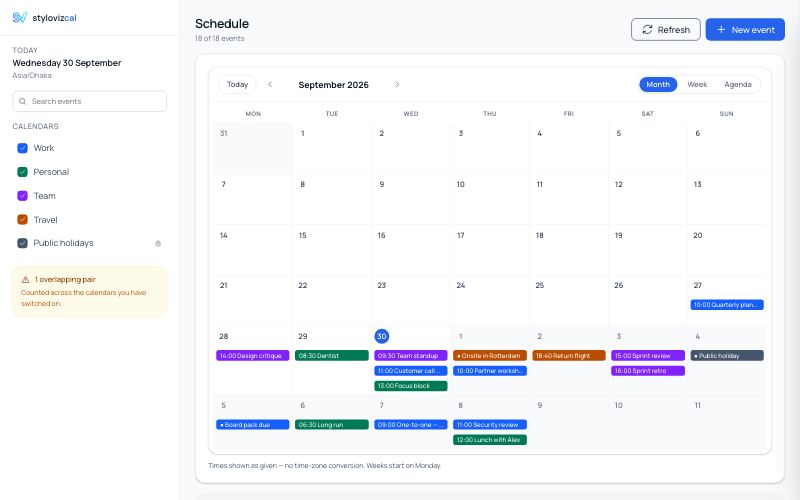
A working calendar — month, week, day and agenda views, calendars you can switch on and off from the rail, search across titles, locations and attendees, clash detection shown before you save rather than after, and create / edit / delete against a mock-or-live API. Blue/violet shell.
- Live demo Pro
- Walkthrough video (3:38) A raw recording of the live demo, no sound.
Team Chat
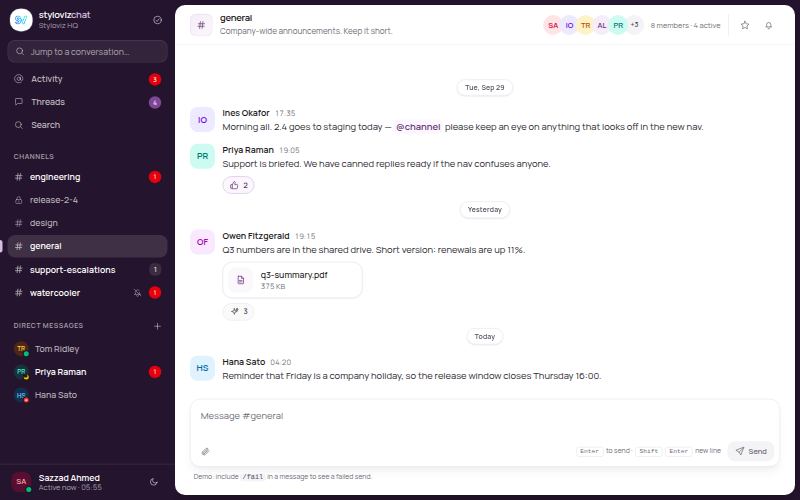
A working team messenger — channels (public and private), direct messages, threads with a side panel, presence with each person's own clock, mention autocomplete that warns before you name somebody who cannot see the room, optimistic sends that keep their place and offer Retry, and an unread divider pinned where you left off. Unread is a read position, never a stored count. Plum/emerald shell — an aubergine conversation rail with the room on an inset sheet — and a mock-or-live data switch.
- Live demo Pro
- Walkthrough video (3:00) A raw recording of the live demo, no sound.
LMS / Course Platform
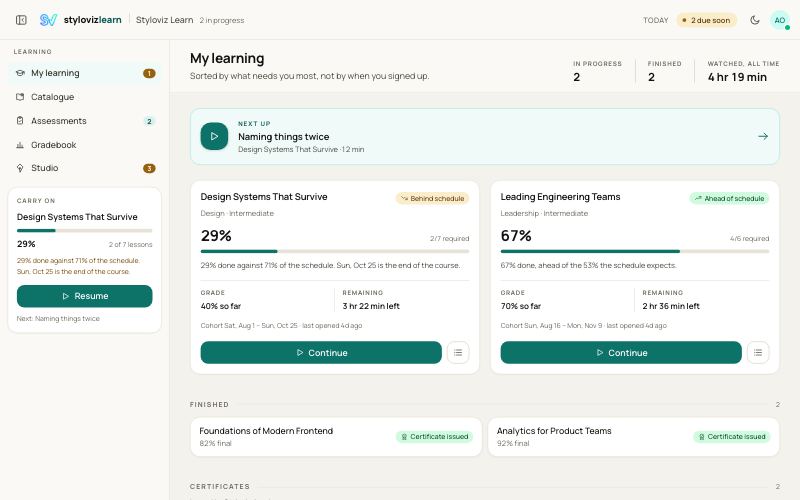
A course platform that refuses to store a progress percentage — coverage is the merged union of the second-ranges actually watched, so scrubbing to the end credits nothing and a lesson completes by its own kind's rule: coverage for a video, a pass for a quiz, a hand-in for an assignment, attendance for a live session. The player commits watched stretches from a heartbeat and leaves the gaps uncovered, because that is the truth. Grades are weighted over the assessments actually marked, so an unmarked paper is an em dash rather than a zero, and the gradebook shows the floor and the ceiling beside the average because one says what happens if you stop and the other whether carrying on can still change it. A mark freezes at submission and a regrade is a record beside it, never an edit to it. Late work is a window with a stated price rather than a red date, and the instructor's studio prices every curriculum change against the people already enrolled before it will save. Oxford-teal and saffron shell on a warm paper neutral, mock-or-live data switch.
- Live demo Pro
- Walkthrough video (3:01) A raw recording of the live demo, no sound.
Pro: public sites
Store E-Commerce
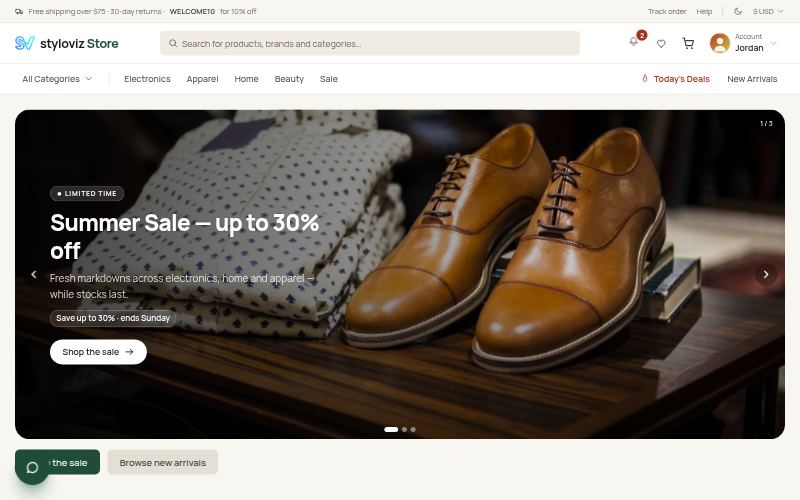
A complete e-commerce storefront — home, category (PLP), product (PDP), search, compare, cart, multi-step checkout, order tracking, account and auth. Light-first "Fresh Market" emerald shell with signal-based cart / wishlist / catalog state.
- Live demo Pro
- Walkthrough video (3:01) A raw recording of the live demo, no sound.
Real Estate
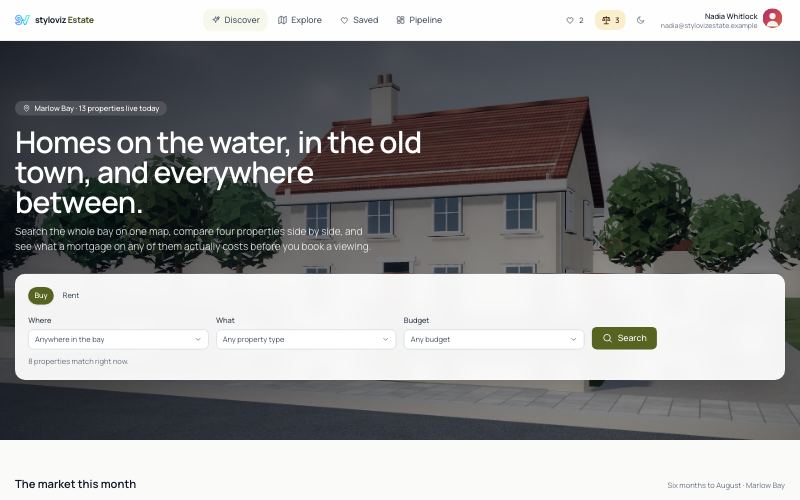
A working property portal — map-and-list search with live filters, a listing page with gallery, floor-plan comparison, price history and a mortgage estimator, side-by-side compare, saved searches and an agent pipeline. Olive/brass shell, mock-or-live data switch.
- Live demo Pro
- Walkthrough video (3:01) A raw recording of the live demo, no sound.
Launch
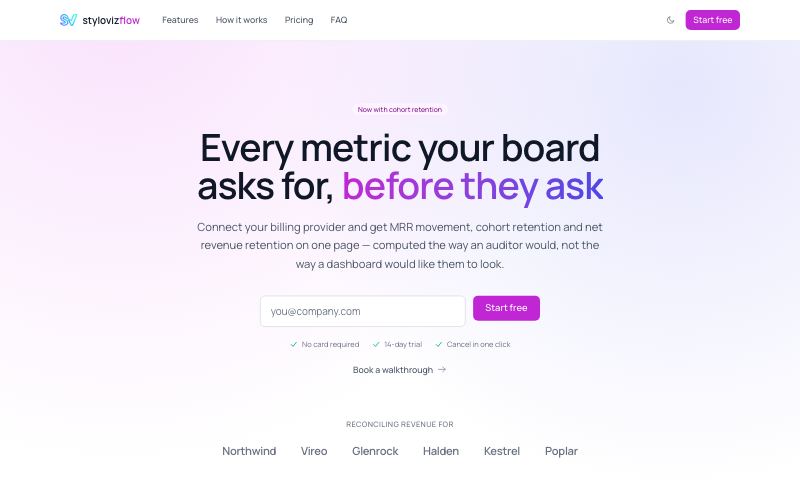
A SaaS marketing site — hero with a working sign-up, feature grid, a numbered how-it-works, social proof, an FAQ accordion and a pricing page whose annual prices, savings and discount badge are all DERIVED from one monthly figure per plan. Fuchsia/indigo shell, scroll reveals that degrade to nothing without JavaScript.
- Live demo Pro
- Walkthrough video (3:01) A raw recording of the live demo, no sound.
Documentation Site
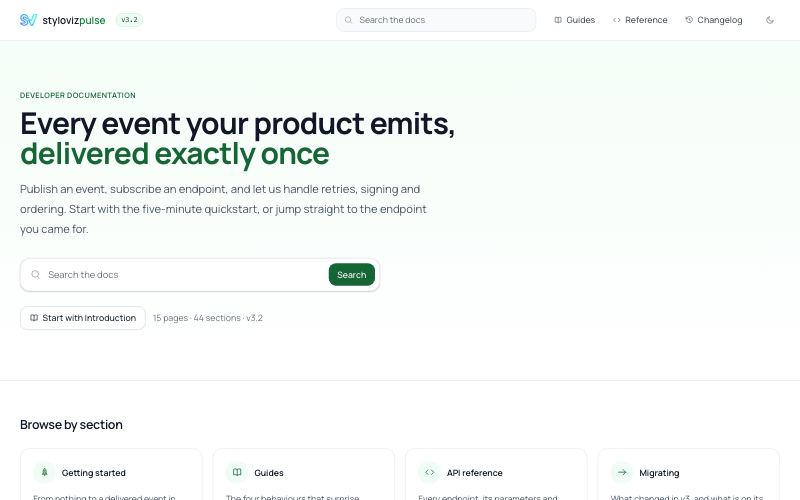
A documentation site that stores no cross-reference at all. The table of contents is the article's own headings, its anchors are derived once and handed to both the heading id and the contents entry, prev/next walks the exact list the sidebar draws, breadcrumbs are read from the group that names the page, and “current version” comes off the changelog by comparing versions numerically — so 3.10 outranks 3.9. A link names a page rather than its kind, and a dangling slug or a dangling anchor is reported as broken instead of navigating a reader nowhere; the home page shows that sweep beside the review queue, because a staleness policy nobody sees is a policy nobody works through. Prose is typed data, never markup, so nothing on the page can inject HTML. Search indexes sections rather than pages, states the hits it suppressed, and tells “nobody has searched yet” apart from “nothing matched”. One component serves guides and reference pages, and it checks the route's kind against the article's, so a wrong URL is a recoverable 404 with near-misses rather than a page under the wrong heading. Green/orange shell, mock-or-live data switch.
- Live demo Pro
- Walkthrough video (3:03) A raw recording of the live demo, no sound.
Portfolio
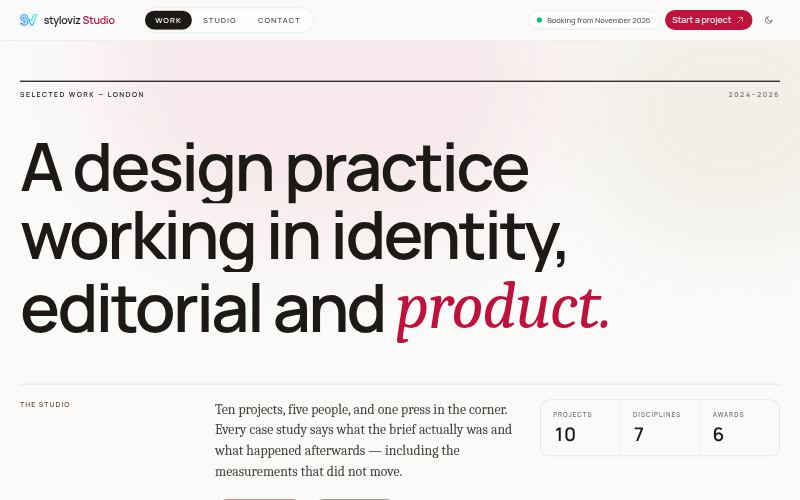
A design studio's public site — editorial masonry work index with discipline filters, long-form case studies with before/after comparison and a plate lightbox, a studio page whose figures are counted from the catalogue, and a contact form that arrives knowing which work the visitor opened. Ink-and-bone shell, rose accent, mock-or-live data switch.
- Live demo Pro
- Walkthrough video (3:06) A raw recording of the live demo, no sound.
Developer Portfolio
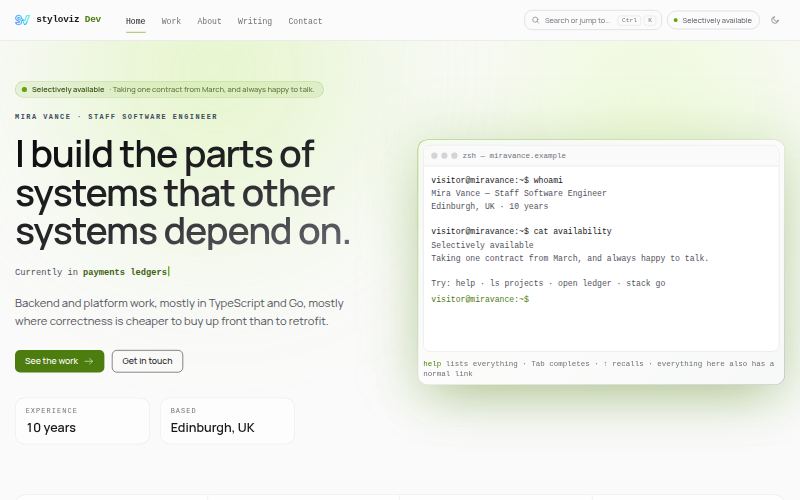
A software engineer's personal site — an interactive terminal hero you can actually type into, ⌘K command-palette navigation, case studies that show the real diff and the number it moved, a contribution year, a skills radar and a career timeline. Dark by default, lime signal accent, mock-or-live data switch.
- Live demo Pro
- Walkthrough video (3:05) A raw recording of the live demo, no sound.
How to get them
The 3 free templates are MIT-licensed. The 18 Pro templates come with every Pro licence, Personal, Team and Enterprise alike, as runnable projects you download with your licence key. A 14-day evaluation key covers the components but not the Pro templates; their live demos are open to everyone.
- All templates The gallery: live previews, walkthroughs and downloads.
- Pricing